IPTV Smarters Pro is the most widely used third-party IPTV player available in 2026, giving subscribers a clean, feature-rich interface for accessing live TV, video-on-demand libraries, and catch-up content across virtually every major device platform. Whether you are brand new to IPTV streaming or switching from a different media player, this guide walks you through everything — from initial installation to advanced configuration — so you can enjoy buffer-free, high-definition entertainment within minutes.
What Is IPTV Smarters Pro and Why Does It Matter?
IPTV Smarters Pro is a cross-platform IPTV media player supporting M3U playlists and Xtream Codes API. It offers EPG guides, multi-screen support, and VOD playback — compatible with Firestick, Android, iOS, and Smart TVs.
IPTV Smarters Pro operates as a universal front-end client, meaning it does not host any content itself. Instead, it connects to your IPTV service provider’s server using either an M3U playlist URL or the Xtream Codes API, then organises channels, movies, and series into a polished, navigable interface.
The app supports Electronic Program Guide (EPG) data, multi-profile management, parental controls, and hardware-accelerated video decoding. These features make it a preferred choice among cord-cutters seeking a near-cable-quality experience without the cable bill.
Supported Devices and System Requirements
One of the biggest advantages of IPTV Smarters Pro is its broad hardware compatibility. Below is a quick-reference matrix of supported platforms and their minimum requirements.
| Device | OS Version | Resolution Support | Install Method |
|---|---|---|---|
| Amazon Firestick / Fire TV | Fire OS 5+ | Up to 4K UHD | Amazon Appstore / Sideload |
| Android TV / Box | Android TV 5+ | Up to 4K UHD | Google Play / APK |
| Samsung / LG Smart TV | Tizen / WebOS | Up to 4K | Sideload APK |
Step-by-Step Installation on Amazon Firestick
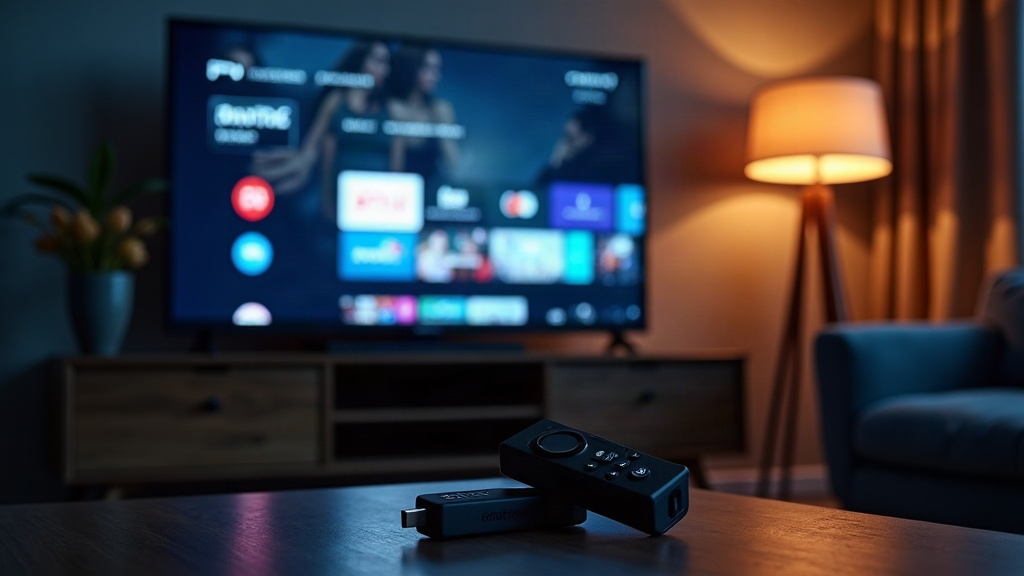
The Amazon Firestick remains the most popular hardware choice for IPTV streaming in the US. Follow these precise steps to get IPTV Smarters Pro running in under five minutes.
- Enable Unknown Sources: Navigate to Settings > My Fire TV > Developer Options and toggle on Apps from Unknown Sources and ADB Debugging.
- Install Downloader: Go to the Firestick home screen, search for the Downloader app, and install it. This free utility lets you sideload APKs directly.
- Enter the APK URL: Open Downloader, tap the URL bar, and type the official IPTV Smarters Pro APK download address. Alternatively, search ‘IPTV Smarters’ in the Amazon Appstore — the app is listed there for Firestick users.
- Install the App: Once downloaded, tap Install. After installation, select Open to launch the player immediately.
- Accept Permissions: Grant storage and network permissions when prompted. These are required for EPG caching and playlist loading.
Step-by-Step Installation on Android Phone or Android TV Box
- Open the Google Play Store on your Android device.
- Search for IPTV Smarters Pro and select the app published by WHMCS SMARTERS.
- Tap Install and wait for the download to complete (typically under 30 MB).
- Open the app and proceed to the configuration steps below.
How to Configure IPTV Smarters Pro With Your Subscription
Once installed, configuration is the critical step that connects the player to your content library. IPTV Smarters Pro supports two primary login methods.
Method 1: Xtream Codes API (Recommended)
- Open IPTV Smarters Pro and tap Add New User.
- Select Login with Xtream Codes API.
- Enter a Profile Name (e.g., ‘Ultrastream IPTV’).
- Input your provider’s Server URL, Username, and Password — all supplied in your welcome email after subscribing.
- Tap Add User. The app will authenticate and load your full channel list, VOD library, and series automatically.
Method 2: M3U Playlist URL
- From the Add New User screen, select Load Your Playlist or File/URL.
- Enter a profile name and paste your M3U URL exactly as provided by your IPTV service.
- Optionally add an EPG URL to enable the interactive program guide.
- Tap Add User to complete setup.
Method 2: M3U Playlist URL
From the main screen, select Load Your Playlist or File/URL.
Enter any profile name and paste your M3U Playlist URL provided by your IPTV provider.
Optionally paste an EPG URL to sync the TV guide automatically.
Click Add User to load your channels and start streaming.
Key Features Breakdown: What Makes IPTV Smarters Pro Stand Out
| Device | OS Version | Resolution Support | Install Method |
|---|---|---|---|
| Amazon Firestick / Fire TV | Fire OS 5+ | Up to 4K UHD | Amazon Appstore / Sideload |
| Android TV / Box | Android TV 5+ | Up to 4K UHD | Google Play / APK |
| Samsung / LG Smart TV | Tizen / WebOS | Up to 4K | Sideload APK |
Advanced Configuration Tips for Optimal Streaming Performance
Out-of-the-box settings work for most users, but applying these tweaks will significantly improve your IPTV streaming experience.
- Enable Hardware Acceleration: Inside the app settings, switch the decoder to HW+ for 4K channels. Revert to SW (software) if you encounter green screen artifacts.
- Set Buffer Size: For live TV, a buffer value of 3,000–5,000 ms smooths out minor network fluctuations without creating noticeable lag.
- Use a Wired Connection: Ethernet always outperforms Wi-Fi for stable IPTV playback. Use a USB-to-Ethernet adapter on your Firestick or Android box wherever possible.
- Update EPG Regularly: Schedule EPG refresh every 24 hours inside app settings to keep the program guide accurate.
- Clear Cache Weekly: Navigate to your device’s app settings and clear the IPTV Smarters Pro cache once a week to prevent sluggish playlist loading.
Troubleshooting Common IPTV Smarters Pro Issues
Even with the best IPTV player setup, occasional hiccups occur. Here are the most common issues and their fixes.
- Channels not loading: Verify your server URL, username, and password are entered without trailing spaces. Contact your provider if credentials are correct but authentication fails.
- Buffering on HD/4K channels: Switch your Wi-Fi band to 5 GHz or use Ethernet. Also try enabling hardware acceleration inside the player settings.
- EPG not showing: Re-enter your EPG URL and force a manual refresh. Some providers supply a separate EPG URL from the M3U link.
- App crashing on Firestick: Clear app cache, ensure your Fire OS is updated, and check that the installed APK is the latest version from a trusted source. See Amazon’s official Firestick support page for device-level troubleshooting.
Ultrastream IPTV delivers 4K UHD live channels, 40,000+ VOD titles, and 99.9% uptime — fully compatible with IPTV Smarters Pro via Xtream Codes API and M3U. Flexible monthly and annual plans available at unbeatable value.
⚡ View Premium Plans & PricingFor a complete walkthrough of all supported players and connection types, visit our IPTV Smarters Player setup guide — it covers every device with annotated screenshots. If you have questions before subscribing, our IPTV FAQ page addresses the most common pre-purchase queries in detail.
Frequently Asked Questions About IPTV Smarters Pro
Q: Is IPTV Smarters Pro free to download?
Yes. The IPTV Smarters Pro app itself is available for free on the Google Play Store and Amazon Appstore. You need a separate paid IPTV subscription from a service provider to access any live channels or VOD content.
Q: Can I use IPTV Smarters Pro on multiple devices at the same time?
This depends entirely on your IPTV subscription plan — most providers offer packages with 1, 2, or more simultaneous connections. The app itself places no limit on device installations; your provider’s concurrent stream allowance is the determining factor.
Q: What is the difference between IPTV Smarters Pro and IPTV Smarters Lite?
IPTV Smarters Pro is the full-featured version with multi-profile support, advanced EPG, external player integration, parental controls, and hardware decoding options. The Lite version strips out several of these features and is better suited for basic single-user setups.
Q: Why is my IPTV Smarters Pro showing ‘Authentication Failed’?
This typically means your credentials are incorrect, your subscription has expired, or your provider’s server is temporarily down. Double-check your server URL, username, and password for typos, confirm your plan is active, and contact your provider’s support team if the problem persists.
Q: Does IPTV Smarters Pro support 4K streaming?
Yes — IPTV Smarters Pro fully supports 4K UHD streams when used with a compatible device and a provider offering 4K channels. Enable HW+ hardware acceleration in the player settings and ensure your internet connection delivers at least 25 Mbps for consistent 4K playback.
📌 Bottom Line: IPTV Smarters Pro is the gold-standard IPTV player for 2026 — combining a powerful feature set, broad device compatibility, and straightforward configuration. Pair it with a high-quality IPTV subscription from Ultrastream to unlock the full potential of your home entertainment setup.


